
Sell the whole look
Cross-selling: for fashion brands: sell the whole look
For fashion brands, mixNmatch turns single-category visits into complete outfits from your own range, so that a shoe brand also sells its apparel and bags.
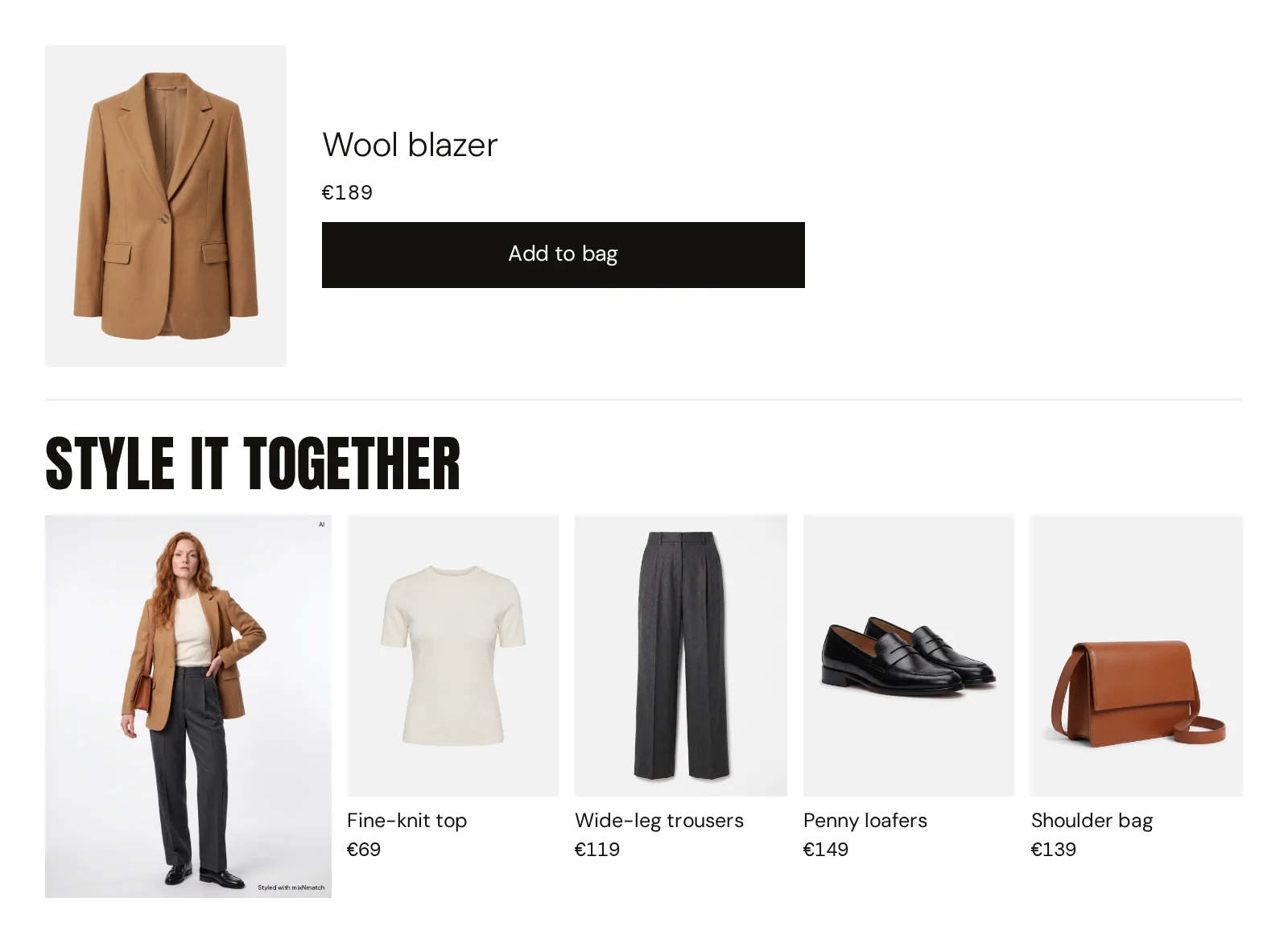
Single-brand looks that stay on brand: on every product page, in the cart and in search.
How can a shoe brand sell more apparel and bags?
Many brands are known for one category and carry several.
Read more
A shoe brand also sells dresses, trousers and bags, but shoppers arrive on a shoe page and leave with shoes, if anything. Complete the Look shows every pair of shoes in a complete outfit from your own range, in the place where the purchase decision happens, and cart completion adds the same logic in the basket.
We measure the cross-category basket share, average order value and add-to-cart from looks against your current setup.
How do looks stay true to one brand?
The engine learns your range and your style rules, and we set the direction together at the start: which categories may be combined, which pieces belong to which line, what never appears together.
Read more
Outfits are built only from your own catalogue, sold-out pieces are replaced automatically, and your team can review looks in the mixNmatch Console before they go live. Try-on models cover different genders, backgrounds and body shapes, so the looks speak to your whole audience.
Why does product data matter for a brand’s reach?
Shoppers increasingly ask AI assistants such as ChatGPT, Gemini or Perplexity what to wear, and these assistants can only recommend what they understand.
Read more
Smart Product Tags fill every product with style, occasion, fit, material and colour family, and GEO for LLM Visibility maps your catalogue to a standard taxonomy with descriptions written to be read by AI. That makes your products eligible to be recommended; nobody can guarantee a ranking.
The same data improves your own search and filters, and on Shopify it is written back to your store.
The modules
Every module is available through our REST API and in the Shopify app.
-
Complete the Look
02 · Complete the Look
On-brand outfits on every product page, across clothing, shoes, bags and accessories, with alternatives per piece. Only from your catalogue.
-
Cart completion
02 · Complete the Look
Shows the looks that can be built around what is already in the cart, with new pieces from your other categories.
-
Smart Product Tags
01 · Product data enrichment & AI visibility
AI reads every product like a stylist and fills in style, occasion, fit, material, details, season and colour family. New products are enriched automatically.
-
GEO for LLM Visibility
01 · Product data enrichment & AI visibility
Generative engine optimisation (GEO): taxonomy, attributes and texts that ChatGPT, Gemini and other AI assistants can read. This makes your products eligible to be found; we do not promise rankings.
-
Virtual try-on
02 · Virtual try-on
Single pieces or complete looks on one of several AI models or on the shopper’s own photo, with versions to switch between. Labelled as AI-generated.
How to start
Through our REST API on any platform, or as a Shopify app. Consulting and custom development work on their own or as the first step.
-
Shopify app
For fashion brands on Shopify: four modules, set up within a few hours, with no integration effort from your end.
-
REST API
For any shop system, app or store: one interface, your front end decides where and how results appear.
-
Consulting & development
E-shop diagnostics, workshops and custom development, as a standalone engagement or as the first step.
Your path to going live
For the custom demo we only need the link to your shop. No integration, no commitment.
-
01
Within 1 day
Custom demo
mixNmatch on your own product pages, with your own products.
Needs: Only your shop address
-
02
In 1 week
POC on your full catalogue
Looks and data across your whole range. We agree the focus use case, KPIs and tracking with your team.
Needs: A complete catalogue feed
-
03
In 3 weeks, POC included
Pilot and go-live
Integration, review in the mixNmatch Console, a staging test, then live with your focus use case.
Needs: Integration, traffic and clean tracking
-
04
Ongoing
Scale
Roll out what works and add the next module.
Needs: Your decision
KPI tracking
- Average order value
- Time on page
- Engagement
- Conversion
Impact measured against a baseline. An A/B test is possible if you wish.
What the price depends on, and how we quote: Pricing
Common questions
Do the looks only use our products?
Yes. Outfits are built only from your own catalogue, across your categories, and sold-out items are replaced.
How do you make sure the looks fit our brand?
The engine learns your range and your style rules. We set up the style direction together at the start. Your team can review looks in the mixNmatch Console before they go live.
How do you measure success?
With KPIs we agree with you at the start: for looks and try-on mainly average order value and time on page, plus engagement, reactivation and conversion. We measure the impact against a baseline of your historical figures or, if you wish, with an A/B test. We set up the tracking with your team and review the success together.
What do you need from us to start?
Only your shop address: we build the custom demo from your own product pages. For the POC on your complete catalogue we then need your product feed with images, title, description, category, colour, price and availability, in whatever format you have: a Google Merchant feed, an API or your Shopify catalogue. Style, occasion and fit we add ourselves. Customer data is optional and only needed for personalisation.
Your catalogue,
styled
Tell us about your shop and your KPIs. We prepare your offer and a demo on your own product pages, ready within 1 day.